Download 7Zipper - File Explorer (zip, free on android
APK file 7Zipper 3.11.15How to install APK / APKS / OBB file on Android
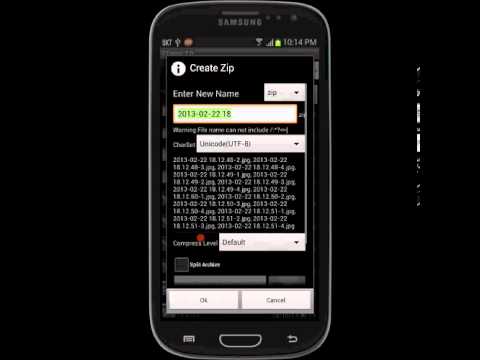

This app help you to browse
(It is archiver/extractor and
It is useful tools for file management, and it require some permissions.)
Features:
List of supported compression formats.
7z jar
List of supported decompression formats.
zip, alz, egg, tar, tar.gz, tar.bz2, gz, bz2, rar, jar, 7z, lzh
support split zip archive (z01, z02 ..., zip.001, zip.002 ..)
You can file management like copy,move,paste (for file, folder)
You can file management like open,rename,delete (for file, folder)
It support image viewer (include animated gif)
It support text viewer (you can open large text file)
You can manage files of your phone by wifi with Ftp Client or Ftp Server or Http Server
You can check sdcard usage
You can resize image file (like jpg, png)
support file search & find string in text-files
support lan-network
support access for external storage
support shortcut for app
If you encounter any issues, please contact us at polarsoft@nate.com.
- LicenseFree
- File name7Zipper
- File Version3.11.15
- Package nameorg.joa.zipperplus7
- Size17.27 MB
- UploadedJanuary 21, 2026
- Android4.4 or later

- CategoryTools
- DeveloperPolarBear soft
- Developer sitehttp://zipperapp.cafe24.com/zipper7v2_privacy_policy.txt
- Developer emailpolarsoft@nate.com
- md5 hashd324dd34a2c2e278d73159aa45125ed6
- Architecturearm64-v8a armeabi
- Permissionsshow (21)
